
You could spend hours a day dealing with emails and calendars. The general worker spends 28% of their work day on email. It’s is one popular reason why many businesses are opting for a virtual assistant to manage email and calendar, to free up time and productivity.
What Is a Virtual Assistant for Email and Calendar Management?
An email and calendar virtual assistant is a remote professional who manages your inbox, schedules appointments and keeps your day organized. These experts work remotely and are provided modern digital tools to enable their communication and time organisation with your company.
Think of them as your own assistant who doesn’t break for coffee. They screen your emails, reply to routine ones (and alert you beforehand), flag the ones that are pressing and make sure you’re not double-booked or a no-show for any appointments.
Why You Need Email and Calendar Management Services
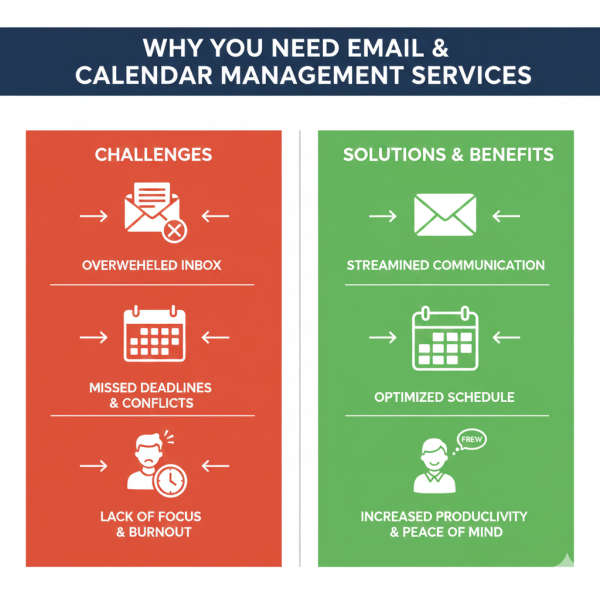
Don’t let your inbox run your day. Here’s the logic of hiring help:
Saving Time: The average business owner spends 2-3 hours a day on email. A virtual assistant provides you with that time in order to …. what’s the word? … oh yeah, live your life!
Less Stress: having someone else deal with the glut in your inbox means zero inbox is achievable. You’d sleep better knowing that you weren’t letting anything important fall between the cracks.
Improved Organization: Virtual assistants who work professionally have systems in place for filing emails, prioritizing tasks and clearing out calendars. No more digging for that important message from last week.
Improved Productivity: Without the constant distraction of email, you can sink your teeth into work – distraction free.
Key Responsibilities of Virtual Assistants for Calendar Scheduling
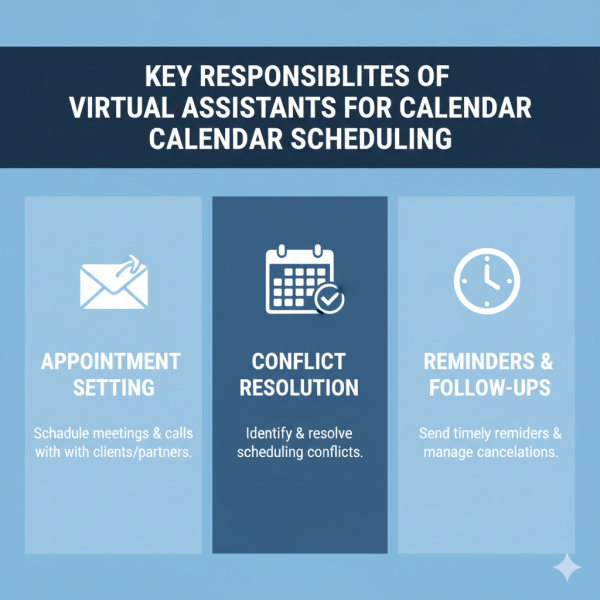
A calendar scheduling virtual assistant goes far beyond appointment scheduling. Here’s what they handle:
They schedule meetings across time zones, establish a meeting and invite participants with their desired list of attendees, and reschedule when there is conflict. They also keep track of your availability preferences, block off time for focused work, and remind all participants about the meeting.
Good calendar management is about predicting conflicts before they arise. He or she will review your calendar each day, build in travel time between appointments and leave buffer spaces so you’re never dashing from one session to the next.
Essential Tasks Your Virtual Assistant for Inbox Management Handles
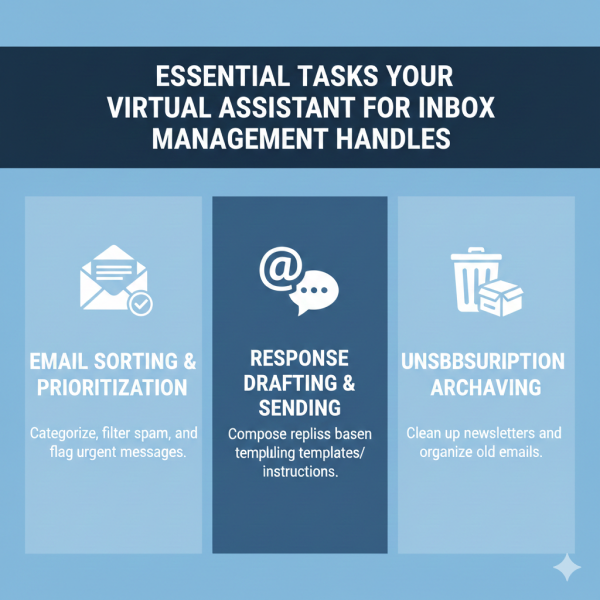
Inbox management service by virtual assistant experts Organize cluttered inboxes with a hands-off approach. Here’s how:
Email Sorting and Filtering: Your VA makes folders and labels for automatic classification of new mails. Swirl of the most important emails get flagged, spam gets deleted, and newsletters get funneled into reading folders.
Response Management: Normal emails are handled right away based on preapproved templates. Your assistant scripts replies for complex emails that could use your personal touch, sparing you the trouble of composing from scratch.
Priority Identification: Not all emails must be actioned immediately. Your assistant filters by priority, flags time-sensitive requests, and only shows you what matters most.
Follow-up Tracking – Critical emails requiring follow-up are tracked in a system. Your assistant will also send reminders and ping people who don’t respond to the most pressing requests.
How to Hire a Virtual Assistant for Email Management
Finding the right person requires some thinking. Follow these steps:
First, make a list of what exactly you need help with. Do you want someone who can work for 5 hours a week or 30? What email systems should we teach them? How much power will they have to make those decisions?
Seek out candidates with a demonstrated history of administrative support. Read reviews and request references. The best virtual assistants for email and calendar management have served various clients with whom they are willing to share success stories.
Put their skills to the test with a paid trial period. Assign them actual tasks and see how they manage your inbox style. They’ll be writing on your behalf, so good communication is important.
One such example is Silkee Solution. They diligently pair businesses with seasoned VAs that specialize in email and calendar management. Their squad is trained on the latest productivity tools and inbox management best practices.
Best Virtual Assistant Services for Managing Calendars and Emails
Factors to Consider When Looking for the Best Virtual Assistant for Calendar Management and Email Scheduling
Platform Savvy: Your assistant should be proficient in tools such as Google Workspace, Microsoft Outlook, Calendly and scheduling apps. They should be compatible with whatever system you use.
Writing: They’re managing your correspondence so top-notch writing skills are a must. These should relate to your style and tone and Omerta, LLCdeclspecyou type nothing like my friends, honestly.
Proactive Problem-Solving: The best assistants don’t just carry out requests. They notice potential problems, recommend improvements and take charge to make your life easier.
Reliability: You want someone who shows up on time, delivers to deadlines and communicates clearly when problems arise.
Silkee Solution is everything for all these and more. Their VA team has experience (as opposed to being a rotating crop of VAs) and they are trained on the email management tricks and calendar hacks that work.
Tools and Software for Remote Email and Calendar Assistant
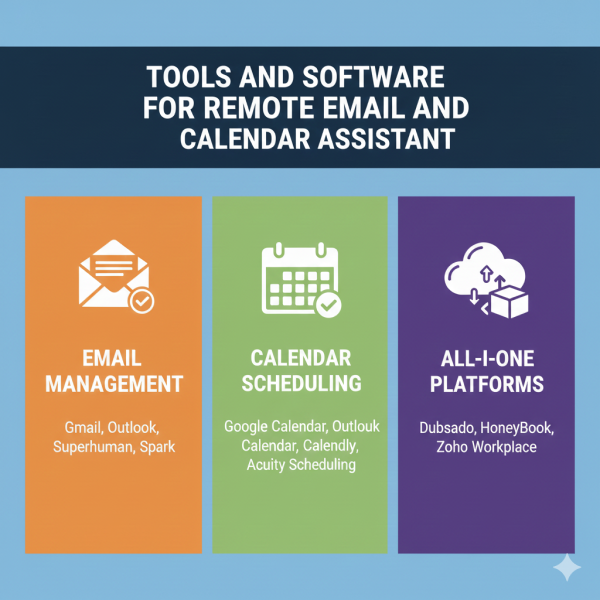
Today, these virtual assistants utilize advanced tools to free up your time:
Email Clients: There are more features to master with your assistant on Gmail, Outlook, Yahoo Mail and the other options as well. Filters, labels, templates and automation rules transform chaos into order.
Calendar Apps: Google Calendar, Outlook Calendar as well as Apple Calendar and Calendly work like a charm and prevent scheduling disasters! Your assistant puts all this information together so that you have a single schedule to look at.
Task Management: Apps like Asana, Trello or Todoist can allow your assistant to track follow-up, deadlines and action items that came from emails.
Communication Tools: If you have an instant messaging app such as Slack, Microsoft Teams or other messaging apps, this is a great way to give short instructions and stay in touch during the day with your assistant.
Talented email and calendar management virtual assistant can familiarize themselves with software you prefer, while also offering better selections that more effectively dating app xcode suit your needs.
Benefits of Outsourcing Calendar and Email Tasks to a Virtual PA
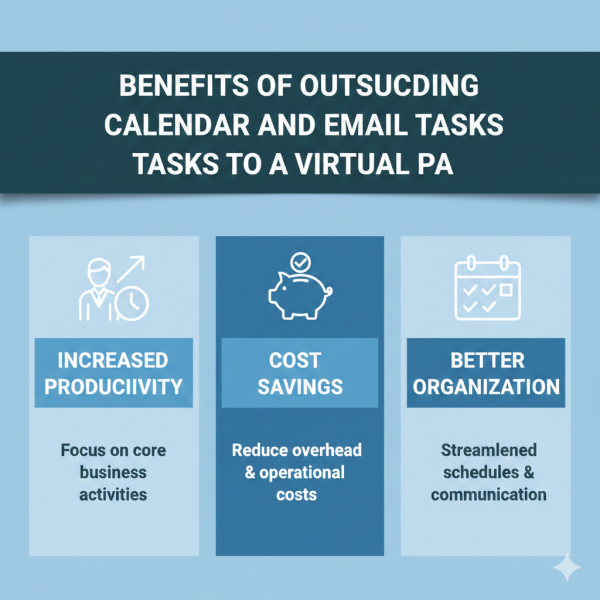
Delegating these activities to a part-time virtual assistant, freeing you up for scheduling and keeping track of your emails can have tangible returns on investment:
Cost-Saving: You are paying less than hiring a regular staff. You pay for the exact hours you need without benefits, office space and equipment costs.
Flexibility: Some extra help during busy seasons? Scale up easily. Slower months? Downsize without those awkward conversations or layoffs.
Expertise at Your Fingertips: Virtual assistants are going to often bring more experience than the average in-house person, as they have seen a wide range of business styles and industries.
Spend time on your business, not email When you’re not swamped with emails, you have the time to work on things that matter – parts of your business that actually grow it. You should be focused on sales, strategy, and customer relationships not inbox management.
Balance Work And Play: Picture ending your work day not worrying about unread emails. Virtual assistants are what make that possible, because they let you truly take time off.
How Virtual Assistants Help with Appointment Setting and Email Filtering
The integration of appointment setting and email filtering makes for a frictionless user experience. Here’s how it works:
A co-worker in need of a meeting sends you an email, your assistant mines the contents and cross-references with your personal scheduler (a.k.a. Assistant) to find available times, then replies that you’re free for coffee. After a time is set, they send calendar invites, include the pertinent information and prep you for whom you’re meeting and why.
They make smart rules for email filtering that are automatically sort your incoming messages. Client emails you move to one folder, team updates get placed in another and newsletters go to a reading folder that you check once a week. Spam and useless messages are discarded long before they reach your inbox.
Having it all in one means fewer stops. Instead of receiving constant email notifications all day, you go over batched summaries at times you choose. Urgent business still arrives in real time, but the rest holds off until you have a chance to turn your attention to communication.
Finding Affordable Virtual Assistant Solutions for Email and Scheduling
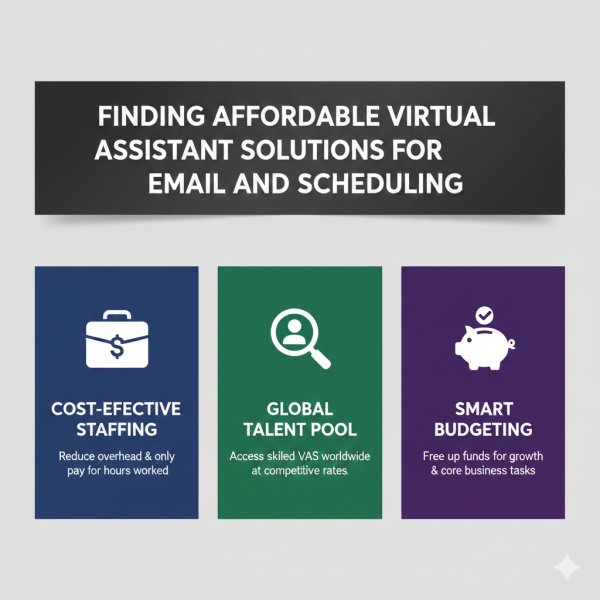
Businesses on a budget can still find good help. Here’s what to do if you want to hire a low-cost virtual assistant to manage your email and appointments:
Hourly vs Package When you are looking to hire a virtual assistant, it is important to remember that not all Virtual Assistants operate on same rate. If you have regular needs, bundle deals often offer better value.
Offshore Options: Virtual assistants in cheaper countries can be of good service for low rates. Emphasize English capacity and communication skills, not geography.
Part-Time Support: You may have no use for 40 hours of assistance each week. Begin with 10-15 hours, and scale up as you see the value.
Specialized Services: Silkee Solution is such service providers can offer cheap rates because they offer specialized services. With their efficient training and procedures, your assistant becomes productive sooner.
Don’t compromise the quality for the price. An inexpensive assistant who screws up or requires constant hand-holding costs you more than they save. Seek the best value, not just the lowest price.
Virtual Executive Assistant for Professional Email and Meeting Coordination
Veteran executives want a virtual executive assistant for email and meeting management who gets the bigger picture. Executive-level support includes:
Strategic Calendar Management: Your assistant is not simply there to book meetings. They also guard against sacrilegious scheduling, carving out time to think strategically and saying no or delegating requests that do not warrant your attention.
Confidential Communications: An executive assistant keeps all your personal and professional affairs in check with perfect poise. They know what to share and what to remain private.
Stakeholder Management: They maintain relationships with important clients, partners and team members. Vips get the attention and follow-up they deserve.
Travel Arrangement: During the course of a meeting, if participants need to travel your assistant arranges flights, hotels, and ground transportation with enough cushion for delays.
Prep for Meetings: Prior to any given appointment, you get both briefing materials with background information along with talking points and whatever else you may need.
Silkee Solution We have highly experienced virtual executive assistants who are C-level and business owner team members. They are aware of the pitfalls of high-level communication and the merits of discretion.
Top Skills to Look for When You Hire Someone to Manage Your Email and Calendar
Here are the necessary skills a good virtual assistant will have:
Attention to Detail: A misplaced zero on a meeting time or incorrect date could result in costly complications. Error prevention Your assistant should catch mistakes before they ever happen.
Time management – they have to manage not just your time but their own. Working under tight deadlines and handling multiple priorities comes with the territory.
Tech Savviness: New tools and platforms are popping up all the time. Your assistant ought to pick up on things fast and offer technologies that smooth out workflows.
Discretion: They’ll see confidential information. Trustworthiness isn’t optional.
Initiative: The finest assistants don’t need to be told what is clearly required. They see that need coming and adapt.
Clear Communication: Either through writing your emails for you or just keeping you posted on what everyone else is doing, clear communication keeps us all in the loop.
And when you’re interviewing potential future employees, ask for concrete examples of how they’ve deployed those skills. Silkee Solution pre-vets their virtual assistants for all of these characteristics, and they take the time to get to know each client and understand what they need.
Freelance Virtual Assistant vs. Agency for Email Management Support
Should you work with a freelancer or an agency? Both options have merit:
Freelance Virtual Assistants: You can generally get a better price dealing directly with somebody and foster better working relationships. But if your assistant has the flu, or goes on vacation, then you’re out of luck. Quality can be all over the map, and you do all your own vetting and training.
Agenecy Services : Firms like Silkee Solution offer back-up support, quality assurance and professional supervision. If an assistant doesn’t work out, they’re quick to replace them. You pay a little more but receive reliability and support.
Hybrid Approach: Some businesses bring on freelance support for everyday work while maintaining an agency relationship for overflow work or backup coverage.
For business-critical processes such as email and calendar management, the dependability of an agency frequently trumps cost savings associated with “gig” working. When you rely on someone else to keep your schedule, you want certainty they’ll show up.
Common Mistakes to Avoid When Working with a Virtual Calendar Manager
Despite good help, these missteps can sabotage your efforts:
Vague Directions: Your assistant doesn’t know what’s in your head. Unclear guidance brings decisions you don’t like. Spend time up front and make your preferences known.
Micromanaging: If you are reading every email they file and second-guessing every calendar decision, you’re missing the point. And the answer is, trust the process and make revisions as necessary.
No Lines Of Communication: Determine how you will communicate. Daily check-ins? Weekly summaries? Slack channel for quick questions? Without clear channels, things get lost in the chasm.
Ignoring Their Ideas: Your assistant can understand patterns in your schedule that you might miss. When they suggest changes, listen to them. They may notice that you tend to book too many meetings after lunch, when your mental edge is dulled.
Not Keeping Them Current Your needs will change, and so should your strategy for dealing with email. Inform your assistant whenever new projects, priorities have changed or a relationship has shifted that affects how you want emails to be addressed.
Engaging a reputable service like Silkee Solution can steer away these dangers. They offer a structured onboarding experience as well as regular check-ins to ensure everything is smooth running.
How Online Assistants Improve Workflow with Email Triage and Calendar Optimization
You get drastic benefits from a systematic check for email:
The 4 D’s Method: Your email assistant places each email into one of four buckets — Do (urgent and important), Delegate (someone else needs to take care of), Defer (important but not urgent) or Delete (not important). This straightforward system makes it harder for you to overlook anything important while decluttering.
Calendar Batching: It groups similar meetings together. All client calls are in designated blocks, internal meetings are scheduled for other times, and focused work time is kept sacrosanct.” This helps minimize context switching, which is always good for productivity.
Template libraries: If you find yourself sending basically the same email over and over again (and just changing the name of the recipient), your assistant comes up with a template that sounds like you but is faster than composing a full response. Meeting confirmations, follow-ups and run-of-the-mill inquiries are dealt with in minutes rather than hours.
Priority Protocols: You set the rules about what deems priority, and your assistant will carry them out. Not everything is an emergency, despite what email senders believe.
Online inbox and schedule organizers use this method all the time. What you get is a communications system that works for you, rather than one you have to work.
Real Results: What to Expect from Professional Calendar and Email Management
Because realistic expectations can help you measure success:
Month 1: Your assistant gets to know your style, preferences, and typical emails. Anticipate some back and forth as you streamline procedures. You will notice an immediate decrease in the time spent on email, but the optimisation process takes a few weeks.
Months 2-3: Systems are go. That way, your inbox remains under control and your calendar is logical. You’re saving yourself 50-70% of the time you would otherwise be spending on email and scheduling.
Months 4+: Your assistant has your needs listed before you even need them. They’ve made connections with regular contacts and are capable of making more complicated decisions on their own. You can practically put all your time and attention into high value activities.
MEASURABLE RESULTS: Most clients get back to their most important emails 60% more quickly with templates and scripts that can be tailored to specific situations, minimize missing appointments or deadlines, and save 10-15 hours a WEEK. These results can be translated into the growth of a business and their clarity of life.
Silkee Solution measures these statistics with clients, sharing detailed reports on the time and money savings virtual assistants bring. “It allows people to see the return on their investment,” he says.
Getting Started: Implementing Virtual Assistant Support for Your Email and Calendar Today
Ready to reclaim your time? Here’s your action plan:
Audit Your Current Situation: Step 1Track how many hours during a week you spend on email and calendar management. What tasks are most time-consuming? Which type of emails could somebody else handle?
Step 2: List Your Needs: Write down specifics of what you need help with. Don’t be vague about decision-making, hours and preferred contact.
Step 3: Pick Your Provider: Explore your options and interview candidates or agencies. Silkee Solution provides free consultations to talk about what you need and find the right assistant for you.
Step 4: Onboarding Spend good time with your assistant training him/her. Pass along email templates, describe how you like to schedule and introduce them to any important contacts. This investment pays off quickly.
Step 5: Regular Review: Plan monthly check-ins on what’s working and where adjustments are needed. Good partnerships adapt and grow as your business does.
Step 6: Scale Slowly: As you start getting results, scale up your assistant’s role. There, many clients begin with email and calendar management, and add travel booking or research or other administrative tasks.
The quicker you begin, the sooner you will start to wonder how you ever survived without this help. This is your future self thanking you a year from now.
Frequently Asked Questions
What does a virtual assistant for email and calendar management cost?
Costs typically range from $15 to $50 per hour depending on experience level and location. Monthly packages often provide better value, ranging from $500 to $2,000 for 20-40 hours of support. Specialized services like Silkee Solution offer competitive pricing with transparent packages tailored to different business needs.
How much time can I save by hiring a virtual assistant for inbox management?
Most professionals save 10-15 hours weekly when they delegate email and calendar tasks. This time savings translates to roughly 600 hours annually, equivalent to 15 full workweeks you can redirect toward business growth or personal priorities.
Can a remote assistant access my confidential emails safely?
Yes, when you work with reputable providers who use secure systems. Professional virtual assistants sign confidentiality agreements and use encrypted communication channels. Services like Silkee Solution thoroughly vet their assistants and implement security protocols to protect your sensitive information.
What email platforms do virtual assistants typically support?
Experienced virtual assistants work with all major platforms including Gmail, Microsoft Outlook, Yahoo Mail, Apple Mail, and business-specific systems. They adapt quickly to your preferred tools and can recommend better alternatives if your current setup has limitations.
How quickly can a virtual assistant start managing my calendar and emails?
Most virtual assistants can begin basic tasks within 2-3 days after onboarding. Full optimization typically takes 2-4 weeks as they learn your preferences and communication style. Agencies like Silkee Solution often provide faster starts because their assistants have standardized training in common business systems.
Do I need to provide software or tools for my virtual assistant?
Most virtual assistants use their own equipment and standard software. You’ll need to provide access to your email account and calendar through secure credential sharing. Specialized tools or premium software subscriptions are typically discussed during the hiring process.
What happens if my virtual assistant is sick or on vacation?
Freelance assistants may not provide backup coverage. Agency services like Silkee Solution typically offer backup assistants who can step in during absences, ensuring your email and calendar management continues without interruption.
Can a virtual assistant handle multiple email accounts for me?
Absolutely. Experienced assistants regularly manage multiple email addresses for clients including personal, business, and role-specific accounts. They create systems to monitor all inboxes and ensure consistent communication across every account.
How do I communicate preferences and changes to my virtual assistant?
Most successful partnerships use a combination of initial detailed documentation, regular check-in calls, and real-time communication via messaging platforms. Your assistant should ask clarifying questions and document your preferences for future reference.