
Hiring a virtual sales assistant is one decision. Getting them up and running quickly is another. Most onboarding processes are either too slow — stretching across two or three weeks before anything meaningful gets handed off — or too fast, with the assistant thrown into tasks before they have the context they need to do them well.
The result in both cases is the same: the sales rep ends up doing more work managing the process than they would have saved by delegating in the first place.
A structured five-day onboarding changes that. It moves fast enough to get your assistant productive in the first week, but deliberately enough that each day builds on the last. By Day 5, your virtual sales assistant knows your pipeline, your communication preferences, your CRM, and exactly what they are responsible for.
This guide walks through each day — what to set up, what to explain, what to hand off, and what to check before moving on.
Why the First Five Days Determine Whether This Works

The most common reason a virtual sales assistant does not work out in the first month has nothing to do with the assistant’s ability. It comes down to how the onboarding was handled.
When there is no clear process for the first week, two things tend to happen. First, the assistant does not have the access or context they need, so they wait for instructions rather than acting. Second, the sales rep assumes the assistant will just figure it out, and then becomes frustrated when they do not.
A five-day framework solves this by making expectations explicit from day one. Each day has a defined focus, a set of specific tasks, and a clear outcome. The assistant knows what they are working toward. The rep knows what to prepare. There is no ambiguity about who is responsible for what.
| The goal of onboarding is not to explain everything at once. It is to give the assistant exactly what they need to be useful on Day 6 — and build from there. |
This matters even more for sales-specific roles because the stakes of errors are higher. A miscommunication in a follow-up email, a missed deal stage update, or an incorrect CRM entry can affect a real opportunity. Getting the handoff right in the first week protects the pipeline while the assistant is still learning.
The five-day structure also sets a working rhythm. By the end of the week, daily check-ins, response times, and task ownership are already established habits rather than things that need to be negotiated later.
The Day-by-Day Onboarding Process
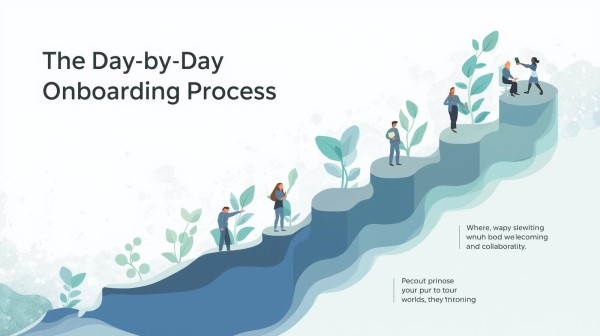
Each day below has a primary focus, a set of specific actions, and a clear handoff point so both you and your assistant know when the day’s work is done.
| 1
DAY ONE |
Access Setup — Get the tools in place |
| • Share access to the CRM — create a login with the correct permission level (view and edit, not admin) | |
| • Add the assistant to your email platform if they will manage outreach or follow-up on your behalf | |
| • Share any sales playbook, sequence templates, or email scripts you currently use | |
| • Add them to the communication channel you will use day-to-day — Slack, Teams, or similar | |
| • Send a short written brief: your name, your role, the company, the main product or service, and the type of clients you sell to | |
| • Ask them to confirm everything is accessible and flag anything they cannot reach before end of day |
| 2
DAY TWO |
CRM Walkthrough — Show them how the pipeline works |
| • Walk through the CRM on a 30-minute video call — screen share works well for this | |
| • Show the deal stages and explain what each one means in your sales process | |
| • Explain how you currently log call notes and what level of detail you expect | |
| • Show them how to find contacts, create follow-up tasks, and update deal stages | |
| • Clarify what they should NOT change without checking with you first | |
| • Ask them to log a test entry so you can verify they have understood the process correctly |
| 3
DAY THREE |
Communication Rhythm — Set the working pattern |
| • Agree on response time expectations — how quickly should messages be acknowledged? | |
| • Set the daily update format: a short end-of-day summary listing what was done, what is open, and anything that needs your input | |
| • Agree on which decisions they can make independently and which ones need to come to you first | |
| • Clarify how you prefer to give feedback — written notes, a short call, or a shared document | |
| • Set a standing weekly check-in time — even 15 minutes on the same day each week prevents things from drifting | |
| • Confirm that the communication channel from Day 1 is working well for both of you, or switch if needed |
| 4
DAY FOUR |
First Tasks — Hand off something real |
| • Assign the first real task — keep it self-contained and low-risk. Good first tasks: logging call notes from the past week, updating deal stages, or sending a batch of follow-up emails from a template | |
| • Write the task brief clearly: what needs to be done, what done looks like, and when you expect it by | |
| • Do not hover — let them work through it and bring questions to you rather than the other way round | |
| • Review the completed work the same day and give specific feedback: what was right, what needs adjusting | |
| • Assign a second task if the first went well — this builds confidence on both sides | |
| • Note any gaps in context that came up and add them to the brief for Day 5 |
| 5
DAY FIVE |
Check-In — Review, adjust, confirm the handoff |
| • Hold a 20-minute check-in call — not a performance review, just a two-way conversation | |
| • Ask: what is clear, what is still unclear, and what do they need to do their job well going into next week | |
| • Review what was handed off in Day 4 and confirm whether the process needs any adjustment | |
| • Confirm the ongoing task list — what they own independently from this point forward | |
| • Set the first full week’s priorities so they start Monday with a clear plan rather than waiting for direction | |
| • Send a short written summary of what was agreed — this becomes the working reference document for the first month |
What Good Looks Like After Five Days
By the end of Day 5, a well-onboarded virtual sales assistant should be able to do the following without needing to ask for help on each one:
- Log call notes and update deal stages in the CRM after every call you brief them on
- Send follow-up emails using agreed templates with minimal editing from you
- Send you a daily summary of what was done, what is open, and what needs your input
- Flag anything in the pipeline that looks like it needs attention — a follow-up overdue, a deal stage that has not moved
- Know which decisions are theirs to make and which ones come to you first
If any of these are not in place at the end of the week, that is useful information — it tells you exactly what the second week needs to focus on rather than leaving it vague.
The five-day structure is not rigid. Some onboardings move faster, some slower, depending on how complex your sales process is. What matters is that each day has a clear purpose and each handoff is checked before moving to the next one. A task handed off before the assistant has the right context will need to be re-done, which costs more time than doing the onboarding properly in the first place.
| The assistants who become genuinely useful in the first month are almost always the ones whose onboarding was structured, written down, and followed consistently. Verbal briefings rarely stick. |
One practical addition that improves every onboarding: a one-page written brief. Before Day 1, put together a short document covering your name, company, the product or service, who you sell to, the current stage of the pipeline, what you are trying to achieve this quarter, and what tasks you want the assistant to eventually own. This becomes the reference document they return to when they are uncertain, and it saves both of you time over the following weeks.
Working with a Silkee Virtual Sales Assistant
If you are looking for a virtual sales assistant who is already trained in sales pipeline management, CRM updates, and follow-up execution — the onboarding process above becomes significantly shorter because the foundational skills are already in place from day one.
The Silkee Virtual Sales Assistant service is built specifically for sales professionals who want to hand off the execution layer of their pipeline — follow-ups, CRM maintenance, deal stage updates — without training someone from scratch. The five-day onboarding above is a practical guide regardless of which assistant you work with, but the starting point is much further along when the assistant already understands what a sales pipeline is and how to manage it.
Frequently Asked Questions
How long does it take for a virtual sales assistant to become fully productive?
Most virtual sales assistants are handling defined, repeatable tasks independently by the end of the first week if the onboarding is structured. Full productivity — where they are managing the pipeline proactively without needing to be directed on each task — typically comes in weeks two to four, depending on the complexity of the sales process.
What CRM access should I give a virtual sales assistant on day one?
Give them edit access to deals and contacts but not admin access. They should be able to create and update records, log notes, and move deal stages — but not change pipeline settings, user permissions, or integrations. Admin access can come later once trust is established.
What tasks should I NOT hand off during the first five days?
Avoid handing off anything that involves direct client communication without a template, any negotiation or pricing conversations, and any decision that affects a live deal’s outcome. The first week is for process tasks: CRM updates, logging notes, scheduling follow-ups, and sending templated outreach. Judgement-based tasks come once the working relationship is established.
How do I give feedback to a virtual sales assistant without micromanaging?
Use the daily summary as the feedback mechanism. Review it each day and reply with specific notes: what was right, what needs adjusting, and any context they were missing. Keep feedback written rather than verbal where possible — it creates a reference the assistant can return to, and it avoids the back-and-forth of verbal discussions.
What if the assistant makes a mistake with a client communication during the first week?
Keep client-facing communication low-risk in the first week — templated emails only, not custom outreach. If something goes wrong, treat it as an onboarding gap rather than a performance issue. Add the missing context to the brief, adjust the task scope, and move forward. Most first-week mistakes are a sign that the brief was not specific enough, not that the assistant cannot do the work.
Is a five-day onboarding realistic if I am in back-to-back calls most of the week?
Yes — the five-day process does not require five full days of your time. The total time commitment for the sales rep is roughly three to four hours across the week: 30 minutes on Day 1 for setup, a 30-minute call on Day 2 for the CRM walkthrough, 20 minutes on Day 3 to set communication norms, a review of Day 4 work, and a 20-minute check-in on Day 5. The rest is the assistant’s working time, not yours.